What Is a Stalker Portal? IPTV Middleware Explained
A Stalker portal is IPTV middleware that connects your device to a provider. Learn how it works, setup steps, and how it compares to Xtream Codes.
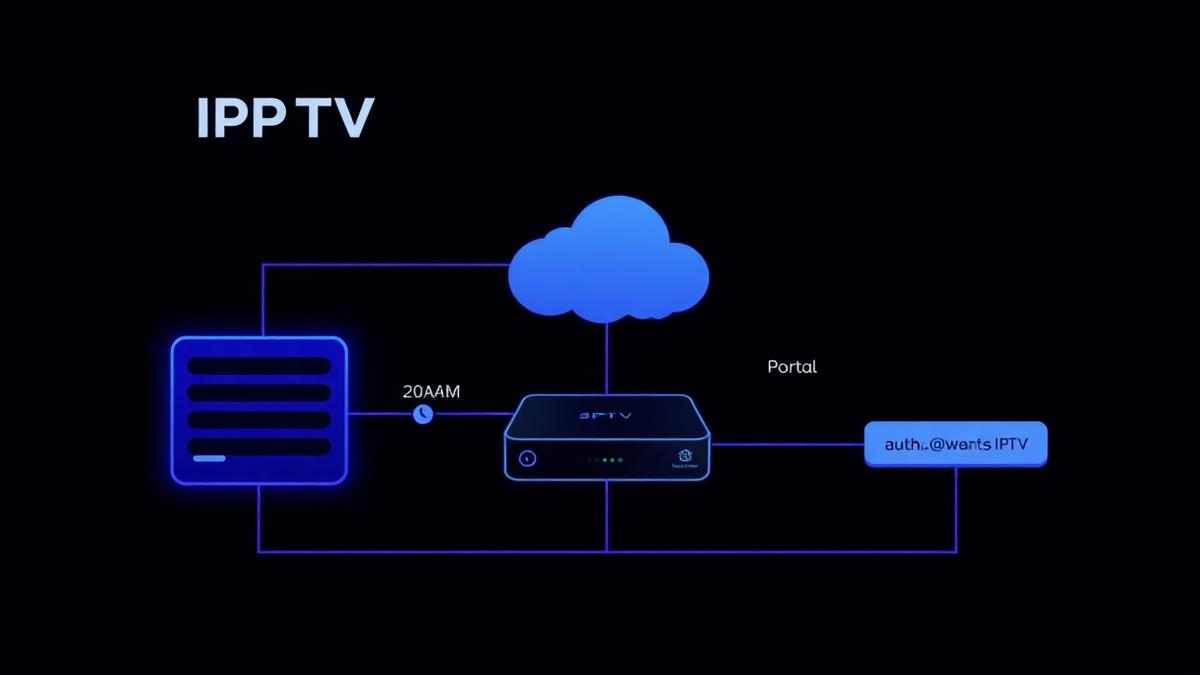
A Stalker portal is middleware software that connects IPTV users to their provider's content. It acts as the interface between your device and the IPTV server. This guide explains what Stalker portal is, how it works, and which devices support it.
Key Takeaways
- Stalker portal is IPTV middleware that manages channels, EPG, and VOD.
- It uses a portal URL and MAC address for authentication.
- MAG boxes were the original devices built for Stalker portal.
- Modern alternatives include Xtream Codes API and M3U playlists.
- Ministra TV Platform is the renamed, updated version of Stalker.
📌 Disclaimer
What Is a Stalker Portal?
A Stalker portal is middleware software used by IPTV providers to deliver channels, movies, and TV shows to users. It sits between the content server and your device. The portal handles everything: channel lists, EPG data, VOD libraries, and user accounts.
The name "Stalker" comes from the original software called Stalker Middleware. It was created by Infomir, the same company that makes MAG set-top boxes. MAG boxes were designed to work directly with Stalker portal.
When you enter a portal URL into your device, you connect to the provider's Stalker portal. The portal verifies your MAC address and loads your channel list. This is different from M3U playlists, which are simple text files containing stream URLs.
What Stalker Portal Manages
- Live TV channels — organized by category and country
- EPG (Electronic Program Guide) — shows what is playing now and next
- VOD library — movies and series on demand
- Catch-up TV — rewatch programs from the past 7 days
- User authentication — via MAC address or login credentials
- Subscription management — controls which packages users can access
How Stalker Portal Works
Stalker portal uses a client-server model. The provider runs the Stalker server. Your device runs the client (the portal interface). Here is how the connection works:
Enter Portal URL
MAC Address Verification
Load Channel Data
Stream Content
💡 Portal URL Format
http://domain.com/c/ or http://domain.com/stalker_portal/c/. The /c/ at the end is important. Without it, the connection may fail.Stalker Portal vs Xtream Codes API
Stalker portal and Xtream Codes API are two different ways IPTV providers deliver content. Both serve the same purpose, but they work differently.
| Feature | Stalker Portal | Xtream Codes API |
|---|---|---|
Authentication | MAC address | Username + Password |
Connection Format | Portal URL | Server URL + Credentials |
Device Support | MAG, STBemu, some apps | Most IPTV apps |
EPG Support | ||
VOD Support | ||
Catch-Up TV | Depends on app | |
Ease of Setup | Moderate | Easy |
Popularity | Declining | Growing |
Xtream Codes API is more popular today because it works with more IPTV players. Apps like TiviMate and IPTV Smarters support Xtream Codes natively. Stalker portal requires specific apps or devices.
Devices That Support Stalker Portal
Not every device supports Stalker portal. Here are the main options:
Native Support
- MAG boxes (MAG 322, 420, 524) — Built specifically for Stalker portal. See our MAG setup guide.
- Formuler Z series — Supports portal through MYTVOnline 2. See our Formuler setup guide.
- BuzzTV boxes — Support portal connections. See our BuzzTV setup guide.
Via Third-Party Apps
- STBemu — Emulates a MAG box on Android devices and Firestick.
- OTT Navigator — Supports Stalker portal as a connection type. Read our OTT Navigator review.
- iMPlayer — Supports portal on iOS devices. See our iMPlayer review.
📌 Device Limitation
How to Set Up Stalker Portal
Setting up a Stalker portal connection requires your provider's portal URL and your device's MAC address. Here is the general process:
Find Your MAC Address
Register MAC with Provider
Enter Portal URL
/c/ at the end.Restart and Connect
Ministra TV Platform (Stalker Successor)
In 2018, Infomir renamed Stalker Middleware to Ministra TV Platform. It is the same software with a new name and added features. Ministra supports modern HTML5 interfaces, better security, and improved performance.
Many IPTV providers still call it "Stalker portal" because that name is more well-known. When a provider says "Stalker" or "portal connection," they usually mean Ministra. The setup process is the same.
For a full list of providers that support portal connections, check our best IPTV providers for 2026.
Troubleshooting Common Issues
Portal Won't Connect
- Check that the portal URL is correct (include
/c/). - Make sure your MAC address is registered with your provider.
- Try restarting your device.
- Check your internet connection.
Channels Not Loading
- Your subscription may have expired. Contact your provider.
- Clear the portal cache on your device.
- Try a different portal URL if your provider has backup servers.
EPG Not Showing
- EPG data may take a few minutes to load after first connection.
- Check that your provider includes EPG with your plan.
- Learn more about EPG setup and troubleshooting.
📡 Compare Top IPTV Services
Find providers that support portal, Xtream Codes, and M3U connections
See Provider RankingsFrequently Asked Questions
Find the Right IPTV Provider
Our expert team has reviewed and ranked the top 20 IPTV services for 2026. Compare features, pricing, and performance to make an informed decision.
Independent reviews • Updated for 2026
Written by
IPTV Reviews Team
Our team of streaming experts is dedicated to helping you find the best IPTV solutions. With years of experience in the industry, we provide in-depth guides, reviews, and tutorials.
You Might Also Like
MAG Box IPTV Setup: How to Configure Your Portal
Step-by-step MAG box portal configuration guide. Covers MAG 322, 420, 524, and 540 models with troubleshooting tips.
Xtream Codes API Explained for Beginners
Learn what Xtream Codes API is, how it works, how it compares to M3U, and how to set it up on any IPTV player.
Best IPTV Service Providers (2026) — Top 20 Tested
Discover the top 20 IPTV providers in 2026. Compare features, pricing, and channels. Find the perfect streaming service for your needs. Updated reviews.