OTT Navigator Review: Features & Complete Guide (2026)
OTT Navigator review covering multi-playlist support, Stalker portal, EPG, performance, and device compatibility. Is this hidden gem worth it?
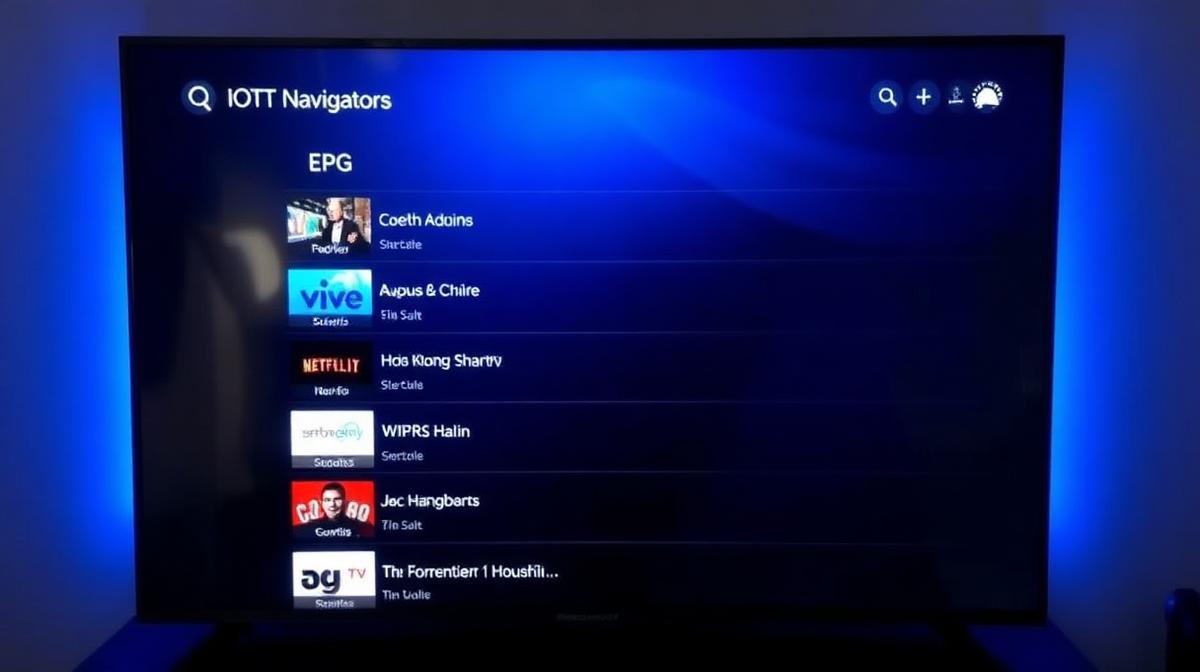
OTT Navigator is one of the most underrated IPTV players for Android. It quietly offers features that rival paid apps like TiviMate Premium. This review covers everything: interface, playlist management, EPG, streaming performance, and how it compares to the competition.
💡 Key Takeaways
- OTT Navigator supports M3U, Xtream Codes, and Stalker portal formats.
- It handles multiple playlists better than most free players.
- EPG integration is solid with grid and list views.
- Available on Android phones, tablets, Android TV, and Firestick.
- Completely free with optional donations — no ads.
📌 Disclaimer
What Is OTT Navigator?
OTT Navigator is a free IPTV player for Android devices. It lets you watch live TV, movies, and series using your IPTV subscription. The app supports multiple playlist formats and offers advanced features usually found in premium apps.
Unlike simpler players like VLC, OTT Navigator is built specifically for IPTV. It includes EPG support, favorites, parental controls, and channel sorting. If you're looking for an alternative to TiviMate or IPTV Smarters, OTT Navigator is worth considering.
Interface & Design
The interface is functional rather than flashy. It uses a dark theme by default. Navigation is straightforward with categories for live TV, movies, series, and favorites.
- Home screen: Shows recently watched channels and favorites.
- Channel list: Groups channels by category with search.
- EPG view: Grid-style TV guide with program details.
- Player screen: Minimalist controls with gesture support.
The design won't win beauty awards. But it's fast and responsive. Remote control navigation works well on Android TV and Firestick.
💡 Tip
Key Features
OTT Navigator packs more features than most free players. Here are the highlights:
- Multi-playlist support: Add and manage multiple IPTV providers at once.
- EPG integration: Full TV guide with program info, reminders, and catch-up.
- Favorites system: Organize your most-watched channels for quick access.
- Parental controls: Lock channels with a PIN code.
- Auto-update playlists: Keeps your channel list fresh automatically.
- External player support: Route streams through VLC or MX Player.
- Channel sorting: Sort by name, number, or custom order.
- Buffer settings: Adjust buffer size for smoother playback.
Playlist & Protocol Support
This is where OTT Navigator truly shines. It supports three major IPTV protocols:
| Protocol | Supported | Notes |
|---|---|---|
M3U / M3U8 | Standard playlist format, URL or file | |
Xtream Codes API | Username/password login method | |
Stalker Portal | MAG box portal URL format | |
Xtream Editor | Custom playlist editing support |
Supporting Stalker portal sets OTT Navigator apart. Most free players only support M3U and Xtream Codes. If you use a MAG box portal format, OTT Navigator can handle it on your Android device.
Streaming Performance
Streaming performance is reliable. Channel switching takes 1-3 seconds on most connections. HD and FHD streams play smoothly with minimal buffering on a stable internet connection.
- Channel load time: 1-3 seconds average.
- 4K support: Yes, with hardware decoding.
- Buffer control: Adjustable buffer size in settings.
- Codec support: H.264, H.265/HEVC, VP9.
- Subtitle support: Built-in subtitle rendering.
💡 Performance Tip
Device Compatibility
OTT Navigator runs on Android devices only. Here's the full compatibility list:
- ✅ Android phones and tablets (Android 5.0+)
- ✅ Android TV (Sony, Philips, TCL, etc.)
- ✅ Amazon Firestick and Fire TV
- ✅ NVIDIA Shield
- ✅ Xiaomi Mi Box
- ❌ iOS / iPhone / iPad
- ❌ Windows PC
- ❌ Mac
- ❌ Samsung / LG Smart TVs (Tizen / WebOS)
If you need a player for Samsung Smart TV, LG WebOS, or Apple TV, you'll need a different app.
Pros & Cons
✅ Strengths
- Supports M3U, Xtream Codes, and Stalker portals
- Excellent multi-playlist management
- Free with no ads
- Good EPG with grid view
- Parental controls included
- External player support (VLC, MX Player)
- Auto-update for playlists
⚠️ Weaknesses
- Android only — no iOS, Windows, or Mac
- Interface looks dated compared to TiviMate
- No built-in DVR recording
- Smaller user community
- Occasional bugs after updates
OTT Navigator vs Alternatives
How does OTT Navigator compare to the most popular IPTV players? Here's a quick comparison:
| Feature | OTT Navigator | TiviMate Free | IPTV Smarters | Kodi |
|---|---|---|---|---|
Price | Free | Free | Free (ads) | Free |
Stalker Portal | ||||
Multi-Playlist | ||||
EPG Quality | Good | Excellent | Good | Good |
DVR | ||||
iOS Support | ||||
Best For | Multi-provider | TV viewing | Beginners | Power users |
For more detailed app comparisons, read our XCIPTV vs GSE comparison and Perfect Player vs VLC guide.
Final Verdict
OTT Navigator is one of the best free IPTV players you can get on Android. Its Stalker portal support, multi-playlist management, and ad-free experience make it stand out. The interface is less polished than TiviMate, but the functionality compensates.
Who should use OTT Navigator?
- Users who subscribe to multiple IPTV providers.
- Anyone who uses Stalker portal URLs.
- People who want a free, ad-free IPTV player.
- Android TV and Firestick owners looking for an alternative to TiviMate.
Who should look elsewhere?
- iOS users — try IPTV Smarters or GSE Smart IPTV.
- Users who want DVR recording — consider Kodi or TiviMate Premium.
- Those who prioritize visual design — TiviMate looks much better.
📊 Our Rating
A feature-rich free player held back only by its Android-only availability and dated interface. Excellent value for multi-provider users.
Frequently Asked Questions
🔥 Find the Best Provider for OTT Navigator
All top-rated IPTV providers support OTT Navigator. Compare pricing, channels, and features.
Browse Provider ReviewsFind the Right IPTV Provider
Our expert team has reviewed and ranked the top 20 IPTV services for 2026. Compare features, pricing, and performance to make an informed decision.
Independent reviews • Updated for 2026
Written by
IPTV Reviews Team
Our team of streaming experts is dedicated to helping you find the best IPTV solutions. With years of experience in the industry, we provide in-depth guides, reviews, and tutorials.
You Might Also Like
Best Free IPTV Players 2026: Top 10 Ranked
Top 10 free IPTV players ranked. VLC, TiviMate, Kodi, Smarters Pro, and OTT Navigator compared across all devices.
TiviMate vs IPTV Smarters Pro: Which Is Better?
Side-by-side comparison of TiviMate and IPTV Smarters Pro. EPG, DVR, device support, and pricing compared.
Best IPTV Service Providers (2026) — Top 20 Tested
Discover the top 20 IPTV providers in 2026. Compare features, pricing, and channels. Find the perfect streaming service for your needs. Updated reviews.