HLS vs MPEG-DASH: Streaming Protocols Explained
HLS and MPEG-DASH are the two main streaming protocols in IPTV. Learn how they work, their differences, and which one delivers better performance.
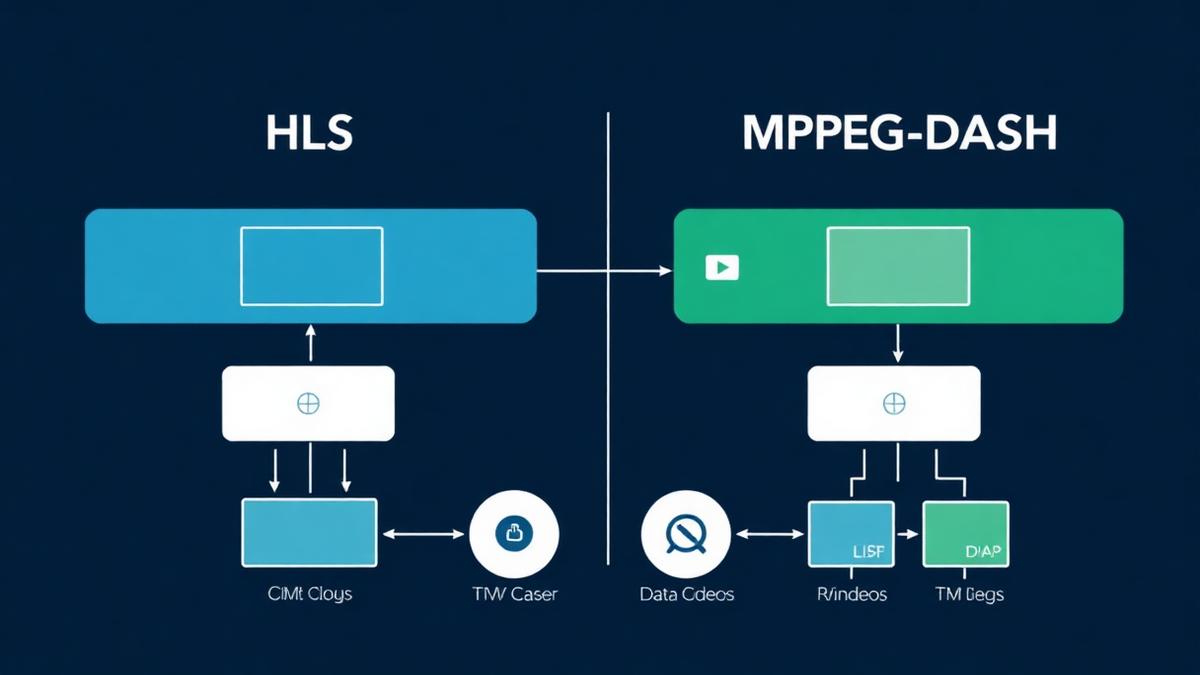
HLS and MPEG-DASH are the two most common streaming protocols used in IPTV. They control how video travels from a server to your screen. This guide breaks down how each protocol works, their key differences, and which one delivers a better IPTV experience.
Key Takeaways
- HLS (HTTP Live Streaming) was created by Apple and works on almost every device.
- MPEG-DASH is an open standard that supports more codecs and DRM options.
- Both protocols split video into small chunks for smooth playback.
- Most IPTV providers use HLS because of its wide device support.
- MPEG-DASH offers better adaptive bitrate streaming in some cases.
📌 Disclaimer
What Are Streaming Protocols?
A streaming protocol is a set of rules that controls how video data moves from a server to your device. It decides how video is split, compressed, and delivered over the internet. Without a protocol, your device would not know how to request or play video content.
Think of it like a delivery system. The protocol picks up the video, breaks it into small packages, and sends them to your player in the right order. If your internet slows down, the protocol adjusts quality to prevent buffering.
The two most popular protocols today are HLS and MPEG-DASH. Both use HTTP, which means they work through standard web servers and CDNs. This makes them reliable and easy to scale. Understanding these protocols helps when learning how IPTV works.
What Is HLS (HTTP Live Streaming)?
HLS stands for HTTP Live Streaming. Apple created it in 2009 for the iPhone. Today, it is the most widely used streaming protocol in the world. Almost every device, browser, and IPTV player supports HLS.
How HLS Works
- Video is split into segments. Each segment is usually 6–10 seconds long.
- A playlist file (.m3u8) lists all segments. The player reads this file to know what to download next.
- Adaptive bitrate streaming adjusts quality based on your internet speed.
- Uses H.264 or H.265 codecs for video compression.
The .m3u8 playlist format is closely related to the M3U playlist format used by most IPTV services. In fact, M3U8 is the UTF-8 version of M3U.
✅ HLS Advantages
- Works on every Apple device, Android, and most Smart TVs
- Supported by all major browsers without plugins
- Strong adaptive bitrate for smooth playback
- Built-in support for closed captions and subtitles
- Mature technology with years of optimization
⚠️ HLS Limitations
- Higher latency (15–30 seconds for live streams)
- Limited to Apple-approved codecs (H.264, H.265)
- Proprietary—controlled by Apple
- Larger segment sizes can waste bandwidth
💡 Good to Know
What Is MPEG-DASH?
MPEG-DASH stands for Dynamic Adaptive Streaming over HTTP. It is an open international standard (ISO/IEC 23009-1). Unlike HLS, no single company owns it. This makes it attractive for services that want more flexibility.
How MPEG-DASH Works
- Uses an MPD (Media Presentation Description) file instead of .m3u8 playlists.
- Supports any codec—H.264, H.265, VP9, AV1, and more.
- Segments can be as short as 2 seconds for lower latency.
- Codec-agnostic design lets providers choose the best compression.
✅ MPEG-DASH Advantages
- Open standard—no licensing fees
- Supports any video codec including AV1
- Better DRM flexibility (Widevine, PlayReady)
- Shorter segments mean lower latency
- More control over adaptive bitrate behavior
⚠️ MPEG-DASH Limitations
- No native support on Apple devices (Safari, iOS)
- Less widely supported by IPTV players
- More complex to set up and configure
- Newer technology with less real-world optimization
HLS vs MPEG-DASH: Side-by-Side Comparison
Both protocols deliver video over HTTP. Both support adaptive bitrate streaming. But they differ in important ways that affect your IPTV experience.
| Feature | HLS | MPEG-DASH |
|---|---|---|
Developer | Apple | ISO (Open Standard) |
Playlist Format | .m3u8 | .mpd (XML) |
Supported Codecs | H.264, H.265 | Any (H.264, VP9, AV1) |
Typical Latency | 15–30 seconds | 5–15 seconds |
Apple Device Support | ||
Android Support | ||
Browser Support | All browsers | Chrome, Firefox, Edge |
DRM Support | FairPlay | Widevine, PlayReady |
IPTV Usage | Very Common | Less Common |
Latency Differences
HLS typically has 15–30 seconds of delay on live streams. This is because it uses longer segments (6–10 seconds). MPEG-DASH can use 2-second segments, cutting latency to 5–15 seconds. For live sports, this matters. Learn more about IPTV sports streaming where latency is critical.
Codec Flexibility
HLS only supports Apple-approved codecs like H.264 and H.265. MPEG-DASH supports any codec, including VP9 and AV1. AV1 offers 30% better compression than H.265, which means better quality at lower bitrates.
Which Protocol Does IPTV Use?
Most IPTV providers use HLS. The reason is simple: HLS works on every device. When a provider picks HLS, they know their streams will play on Firestick, Smart TVs, phones, computers, and MAG boxes without issues.
Some premium IPTV services use MPEG-DASH for specific content, especially when they need advanced DRM protection. But HLS remains the default choice for most services listed in our top IPTV providers guide.
💡 Protocol and Your IPTV Player
Connection Methods and Protocols
When you connect to an IPTV service using the Xtream Codes API, the server typically delivers content via HLS. The API handles authentication and channel selection, while HLS handles the actual video delivery.
How to Check Your Stream Protocol
You can find out which protocol your IPTV stream uses. Here are three simple methods:
- Check the stream URL. If it ends in .m3u8, it uses HLS. If it ends in .mpd, it uses MPEG-DASH.
- Use VLC Media Player. Open Tools → Codec Information. The protocol and codec details appear there.
- Check your EPG and player settings. Some apps show stream details in the channel info screen.
📌 Does It Matter?
📡 Find the Best IPTV Providers
Compare top-rated services that deliver smooth, buffer-free streams
View Provider RankingsFrequently Asked Questions
Find the Right IPTV Provider
Our expert team has reviewed and ranked the top 20 IPTV services for 2026. Compare features, pricing, and performance to make an informed decision.
Independent reviews • Updated for 2026
Written by
IPTV Reviews Team
Our team of streaming experts is dedicated to helping you find the best IPTV solutions. With years of experience in the industry, we provide in-depth guides, reviews, and tutorials.
You Might Also Like
What Is an M3U Playlist? Complete Explanation
Learn what M3U playlists are, how they work, M3U vs M3U8 differences, and how to use them with any IPTV player.
Xtream Codes API Explained for Beginners
Learn what Xtream Codes API is, how it works, how it compares to M3U, and how to set it up on any IPTV player.
Best IPTV Service Providers (2026) — Top 20 Tested
Discover the top 20 IPTV providers in 2026. Compare features, pricing, and channels. Find the perfect streaming service for your needs. Updated reviews.