Perfect Player vs VLC for IPTV: Which Is Better?
Perfect Player vs VLC for IPTV streaming. EPG, platform support, codec compatibility, and performance compared.
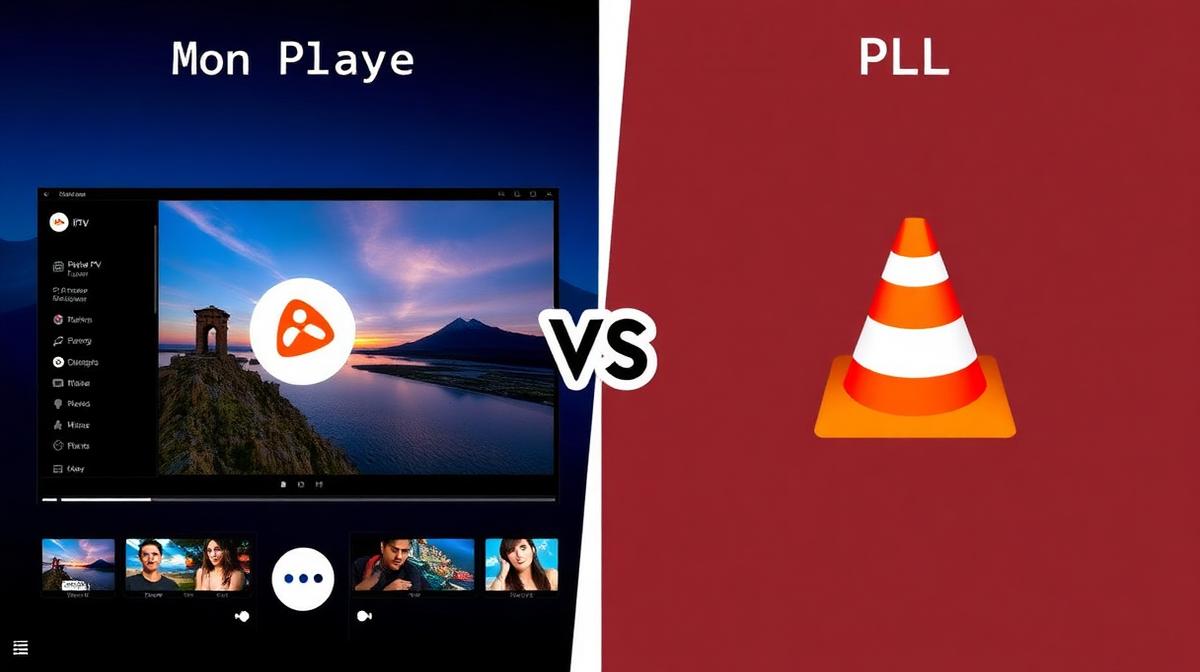
Perfect Player and VLC are two very different IPTV solutions. Perfect Player is purpose-built for IPTV with EPG and channel management. VLC is a general media player that can also play IPTV streams. This guide compares them for IPTV use.
💡 Key Takeaways
- Perfect Player is designed specifically for IPTV viewing.
- VLC is a free, open-source player that supports M3U playlists.
- Perfect Player has built-in EPG; VLC does not.
- VLC works on Windows, Mac, Linux, and mobile; Perfect Player is Android-only.
- For dedicated IPTV use, Perfect Player is the better choice.
📌 Disclaimer
Quick Overview
Perfect Player is an IPTV-focused app for Android. It has EPG, favorites, and channel group support built in. VLC is a universal media player. It can open M3U playlists and play IPTV streams. But it lacks IPTV-specific features like EPG and channel management.
| Feature | Perfect Player | VLC Media Player |
|---|---|---|
Type | IPTV Player | General Media Player |
Platform | Android / Android TV | Windows, Mac, Linux, Mobile |
Price | Free | Free (Open Source) |
EPG Support | ||
M3U Support | ||
Channel Groups | ||
Favorites | ||
Best For | Dedicated IPTV | Quick playlist playback |
Interface & Design
Perfect Player looks like a traditional TV guide. Channels appear in a list. EPG data shows current and upcoming programs. You can switch channels with a remote control easily.
VLC has a standard media player layout. It shows a playlist panel and a playback window. There is no channel guide or program information. It treats IPTV like any other playlist.
Perfect Player UI
- TV guide layout: Channel list with program info
- Channel groups: Browse by category (Sports, Movies, News)
- Mini EPG: Shows current and next show on each channel
- Remote-friendly: Navigate everything with D-pad
VLC UI for IPTV
- Playlist panel: Lists all channels from M3U file
- No EPG: Only shows channel names
- Double-click to play: Select a channel from the list
- Video controls: Standard playback buttons
For a TV-like experience on Firestick or Android TV, Perfect Player is the clear winner. VLC works better as a quick tool on Windows PCs.
IPTV-Specific Features
Perfect Player was built for IPTV. It handles everything an IPTV viewer needs: EPG, favorites, parental lock, and auto-reconnect. VLC is a general player that just happens to support M3U.
✅ Perfect Player for IPTV
- Full EPG with program details
- Channel favorites and grouping
- Parental lock with PIN
- Auto-reconnect on stream drop
- Channel logos support
- Buffer size adjustment
✅ VLC for IPTV
- Plays any media format (not just IPTV)
- Works on all desktop and mobile OS
- Advanced codec support (H.265, AV1)
- Network stream URL input
- Hardware acceleration options
- Open source and privacy-friendly
💡 Pro Tip
Playlist & EPG Support
Both apps can open M3U playlists. Perfect Player also supports Xtream Codes login and XMLTV EPG data. VLC can only open M3U links with no EPG support at all.
| Format Support | Perfect Player | VLC |
|---|---|---|
M3U URL | ||
M3U Local File | ||
Xtream Codes API | ||
XMLTV EPG | ||
Channel Logos | ||
Auto-Update Playlist | ||
Multiple Playlists | Manual only |
For the best experience, pair either player with a quality IPTV service provider that offers both M3U and Xtream Codes formats.
Platform Support
VLC wins on platform support. It runs on virtually every operating system. Perfect Player is limited to Android devices. Choose based on your primary device.
Perfect Player Platforms
- Android phones and tablets
- Android TV boxes
- Amazon Firestick and Fire TV
- NVIDIA Shield TV
VLC Platforms
- Windows PCs
- macOS (MacBook, iMac)
- Linux (Ubuntu, Mint, Fedora)
- Android and iOS
- Chrome OS
Streaming Performance
Both apps handle HD and 4K streams well. VLC has superior codec support, including H.265 and AV1. Perfect Player relies on the Android system decoder but offers buffer control settings.
| Performance | Perfect Player | VLC |
|---|---|---|
HD Streaming | ||
4K Support | ||
H.265/HEVC | Device-dependent | |
AV1 Codec | ||
Hardware Accel. | ||
Buffer Control | Adjustable | Advanced |
Channel Switch | Fast (1-2s) | Slow (3-5s) |
Which Is Best for IPTV?
Choose Perfect Player if you want a dedicated IPTV experience on Android TV or Firestick. Its EPG, favorites, and channel management make daily IPTV use simple.
Choose VLC if you watch IPTV on a desktop computer (Windows, Mac, Linux) or need a versatile player that handles all media types. It is also a great backup when streams fail in other apps.
| Use Case | Best Choice |
|---|---|
Android TV / Firestick | Perfect Player |
Windows PC | VLC |
Mac / Linux | VLC |
EPG / Program Guide | Perfect Player |
Codec Support | VLC |
Channel Management | Perfect Player |
Backup Player | VLC |
Find the Right IPTV Provider
Compare the top 20 IPTV services for Perfect Player or VLC
View Top ProvidersFrequently Asked Questions
Find the Right IPTV Provider
Our expert team has reviewed and ranked the top 20 IPTV services for 2026. Compare features, pricing, and performance to make an informed decision.
Independent reviews • Updated for 2026
Written by
IPTV Reviews Team
Our team of streaming experts is dedicated to helping you find the best IPTV solutions. With years of experience in the industry, we provide in-depth guides, reviews, and tutorials.
You Might Also Like
Windows IPTV Players: Best Software for Streaming in 2026
Best IPTV players for Windows PC. VLC, IPTV Smarters Pro, Kodi, and more compared with step-by-step setup guides.
Best IPTV Apps for Android TV in 2026
Top 5 IPTV apps for Android TV compared. TiviMate, IPTV Smarters, Perfect Player, OTT Navigator, and XCIPTV tested for speed and features.
Best IPTV Service Providers (2026) — Top 20 Tested
Discover the top 20 IPTV providers in 2026. Compare features, pricing, and channels. Find the perfect streaming service for your needs. Updated reviews.