Mac IPTV Setup: VLC & Best Alternatives for macOS
How to watch IPTV on Mac using VLC, iPlayTV, and Kodi. AirPlay casting to Apple TV covered. Works on all Mac models.
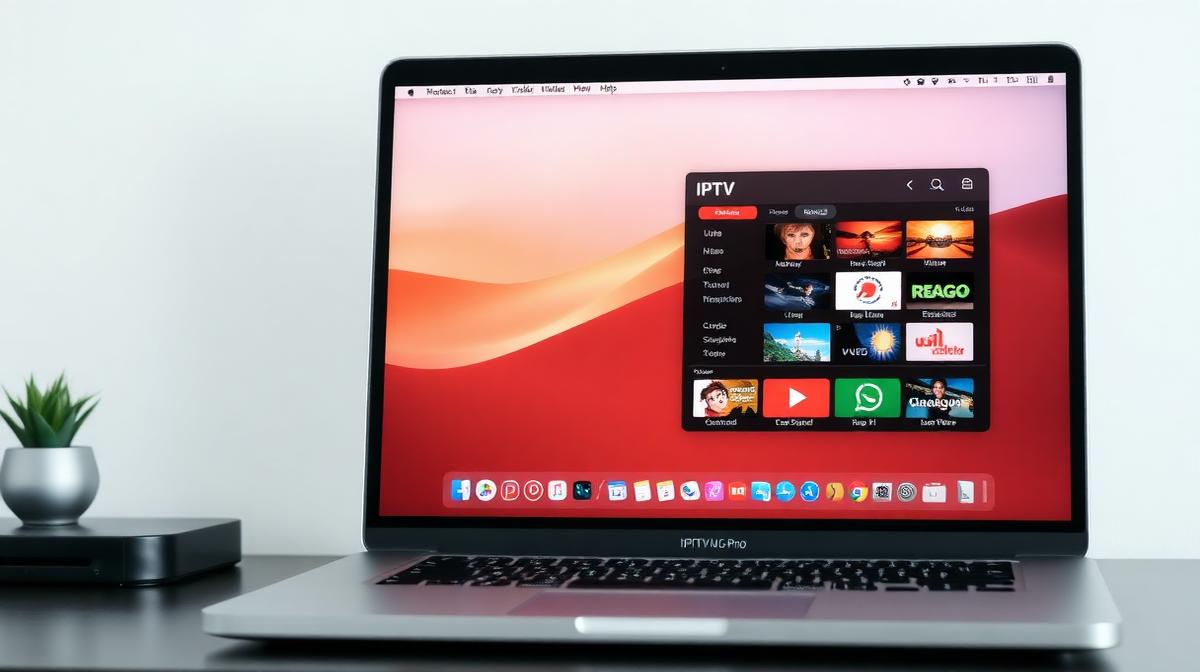
Yes, you can watch IPTV on any Mac. VLC, iPlayTV, Kodi, and several other apps let you stream live channels on macOS. This guide covers the best methods for MacBook, iMac, and Mac Mini. Need a provider? See our top 20 IPTV service rankings.
🔑 Key Takeaways
- VLC is the fastest free option — works on all Macs
- iPlayTV is the best dedicated IPTV app for macOS ($5.99)
- Kodi offers advanced features with PVR add-ons
- AirPlay lets you cast IPTV from Mac to Apple TV
- Both Intel and Apple Silicon Macs fully supported
📌 Disclaimer
Can You Watch IPTV on a Mac?
Absolutely. Macs run VLC, Kodi, and other media players that support M3U playlists and IPTV streams. Whether you have a MacBook Air, MacBook Pro, iMac, or Mac Mini, you can stream IPTV content.
macOS doesn't have as many dedicated IPTV apps as Android TV. But the available options are solid. Plus, you can AirPlay to an Apple TV for big-screen viewing.
| Feature | VLC | iPlayTV | Kodi | Elmedia |
|---|---|---|---|---|
Price | Free | $5.99 | Free | Freemium |
M3U Support | ||||
EPG Guide | ||||
Xtream Codes | ||||
Channel Logos | ||||
Apple Silicon | ||||
AirPlay Output | ||||
Best For | Quick Start | Full IPTV | Power Users | Casual Use |
How to Watch IPTV with VLC on Mac
VLC is the easiest way to watch IPTV on Mac. It's free, open-source, and handles M3U playlists natively. Download takes 2 minutes. Setup takes 1 more.
✅ VLC on Mac Advantages
- Free and open-source — no hidden costs
- Native Apple Silicon support for M1/M2/M3 Macs
- Plays virtually any video format
- Supports AirPlay output to Apple TV
- Lightweight — under 100 MB download
⚠️ VLC Limitations
- No built-in EPG or program guide
- No channel categories or logos
- Basic playlist interface
Download VLC for Mac
Open Network Stream
Launch VLC. Click File → Open Network (or press ⌘+N).
Paste your M3U playlist URL from your IPTV provider.
Browse and Watch
Save the Playlist
Save the M3U file to your Mac. Next time, just double-click the file to open VLC with your channels.
🎉 Done! You're streaming IPTV on your Mac.
💡 macOS VLC Shortcuts
iPlayTV: Best Dedicated IPTV App for Mac
iPlayTV is the best paid IPTV player for macOS. It costs $5.99 one-time and gives you a full IPTV experience. EPG guide, channel logos, favorites, and Xtream Codes support — all in a clean macOS interface.
Buy from the Mac App Store
Add Your IPTV Source
Open iPlayTV. Click the + button. Choose your method:
- M3U URL: Paste your playlist link
- Xtream Codes: Enter server, username, password
Need a provider? Check our 2026 IPTV provider comparison.
Configure EPG
Watch and Organize
Browse channels by category, country, or search. Add favorites and organize your channel list.
Kodi IPTV Setup on macOS
Kodi runs natively on macOS. It offers the most advanced IPTV features: PVR add-ons, recording, custom skins, and deep configuration. Same setup as Kodi on Xbox — just on your Mac.
Install Kodi
Install PVR IPTV Simple Client
Add M3U and EPG URLs
Configure the add-on with your provider's:
- M3U Playlist URL
- EPG XMLTV URL
Restart and Watch
Restart Kodi. Channels appear under TV → Channels with full EPG data.
🎉 Full IPTV experience on your Mac!
Elmedia Player Alternative
Elmedia Player is a lightweight M3U player for Mac. The free version plays IPTV streams. The pro version ($19.99) adds AirPlay streaming, subtitle support, and hardware acceleration.
- Download from the Mac App Store or elmedia-video-player.com
- Click File → Open URL and paste your M3U link
- Pro version lets you AirPlay to Apple TV for big-screen viewing
- Native Apple Silicon support for fast, efficient playback
💡 Best Free vs Paid
How to AirPlay IPTV to Apple TV
You can cast IPTV from your Mac to any Apple TV using AirPlay. This is useful if your IPTV player doesn't have an Apple TV app. Check our full Apple TV IPTV guide for more methods.
Connect to Same Network
Start IPTV on Mac
Enable Screen Mirroring
Watch on TV
Troubleshooting Common Issues
Here are fixes for common Mac IPTV problems.
VLC Won't Open on macOS
- Right-click VLC → Open to bypass Gatekeeper security
- Go to System Settings → Privacy & Security and allow VLC
- Download directly from videolan.org — avoid third-party sites
Buffering or Lag
- Use a wired Ethernet connection (USB-C adapter if needed)
- Close other bandwidth-heavy apps
- In VLC: VLC → Settings → Input/Codecs — increase network caching to 3000 ms
- Try a lower quality stream if your internet is under 25 Mbps
Audio Sync Issues
- In VLC: press G or F to adjust audio delay
- Switch audio output device in VLC → Audio → Audio Device
- Restart the stream
AirPlay Not Working
- Ensure both devices are on the same Wi-Fi network
- Update macOS and Apple TV to the latest versions
- Restart both your Mac and Apple TV
Frequently Asked Questions
📝 Article Summary
- VLC is the quickest free IPTV option for any Mac
- iPlayTV ($5.99) offers the best dedicated experience with EPG
- Kodi provides power-user features with PVR add-ons
- AirPlay lets you cast IPTV from Mac to Apple TV
- All players support Intel and Apple Silicon Macs
🔥 Find the Best IPTV Provider for Mac
Compare 20 tested IPTV services compatible with macOS
View Provider Rankings →Find the Right IPTV Provider
Our expert team has reviewed and ranked the top 20 IPTV services for 2026. Compare features, pricing, and performance to make an informed decision.
Independent reviews • Updated for 2026
Written by
IPTV Reviews Team
Our team of streaming experts is dedicated to helping you find the best IPTV solutions. With years of experience in the industry, we provide in-depth guides, reviews, and tutorials.
You Might Also Like
Apple TV IPTV Guide: AirPlay & Apps Setup
Complete guide to IPTV on Apple TV using App Store apps and AirPlay. IPTV Smarters, GSE Smart IPTV, and iPlayTV compared.
How to Install IPTV on Firestick: Step-by-Step
Complete guide to installing and setting up IPTV on Amazon Firestick in just 5 minutes.
Best IPTV Service Providers (2026) — Top 20 Tested
Discover the top 20 IPTV providers in 2026. Compare features, pricing, and channels. Find the perfect streaming service for your needs. Updated reviews.