SoPlayer Review: IPTV Player Analysis 2026
SO Player review covering its proprietary app, 17,500+ channels, 4K streaming, and integrated IPTV experience. The all-in-one solution?
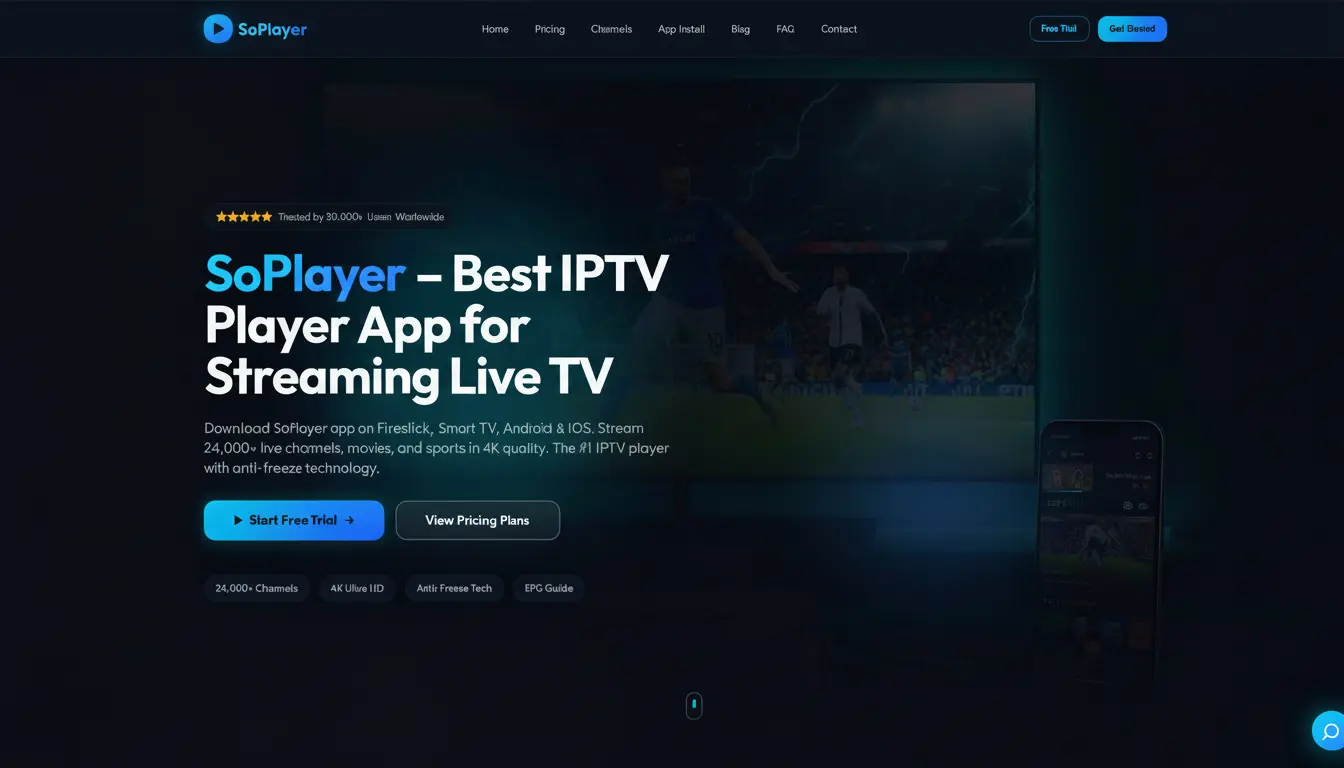
Quick Verdict: Is SO Player Worth It?
- Proprietary app eliminates compatibility headaches
- 17,500+ live channels with 4K support
- Best for: Users who want an all-in-one, plug-and-play IPTV experience
- Clean interface designed for ease of use
- No MAG box or gaming console support
SO Player takes a different approach to IPTV by bundling the service with its own proprietary player app. Instead of juggling third-party apps like TiviMate or IPTV Smarters, everything works out of the box. We tested whether this integrated approach delivers a better experience or just limits your options.
Editorial Disclaimer
SO Player Expert Rating
SO Player: The All-in-One IPTV Solution
SO Player is ranked #13 in our top 20 IPTV providers guide. Unlike most providers that rely on third-party apps, SO Player developed its own player. This means fewer compatibility issues and a more consistent experience across devices.
The trade-off? You are locked into their app. You cannot use TiviMate, IPTV Smarters, or other popular players. For some users, that is a deal-breaker. For others, it simplifies everything.
New to IPTV streaming? Start with our beginner's guide to IPTV to understand how these services work.
The SO Player App Experience
The SO Player app is the centerpiece of this service. It is clean, fast, and designed for people who do not want to tinker with settings.
- One-tap setup: Enter your credentials and start watching. No M3U URLs or API configurations needed.
- Consistent UI: The same interface on Firestick, Apple TV, Android, and iOS.
- Built-in EPG: The electronic program guide is integrated directly into the app.
- Favorites system: Bookmark your preferred channels for quick access.
Setup Advantage
Features & Channels
SO Player offers a solid channel lineup with 17,500+ live channels and 55,000+ VOD titles.
- Live TV: 17,500+ channels including US, UK, and international content.
- VOD: 55,000+ movies and TV series available on demand.
- Sports: 340+ sports channels. For more sports-focused options, see our best IPTV for sports guide.
- EPG: Full electronic program guide built into the SO Player app.
- Catch-Up: Watch previously aired content when you miss a show.
The channel count is lower than providers like XtremeTV (25,000+) or BestIPTVs (22,000+). But the integrated player ensures every channel works reliably without compatibility issues.
Pricing & Plans
SO Player sits in the mid-range pricing tier. Plans are straightforward with no hidden fees.
| Plan | Price | Connections | Quality |
|---|---|---|---|
Monthly | $18 | 1 | FHD/4K |
Quarterly | $42 | 1 | FHD/4K |
Semi-Annual | $68 | 1 | FHD/4K |
Annual | $78 | 1 | FHD/4K |
At $78/year (roughly $6.50/month), the annual plan offers good value. Payment is limited to Credit Card and PayPal. Compare pricing across all services in our comprehensive provider rankings.
Streaming Performance
This is where SO Player excels. Because the app is purpose-built for the service, streaming performance is noticeably smooth.
During our tests, channel switching was fast. Buffering was rare on a 25 Mbps connection. 4K content streamed without issues on a 50 Mbps connection. The integrated approach pays off in reliability.
We recommend a minimum of 10 Mbps for HD and 50 Mbps for 4K content. Using an Ethernet connection instead of WiFi improves stability further.
Device Compatibility
SO Player works on most mainstream devices. The biggest gaps are MAG boxes and gaming consoles.
- ✅ Amazon Firestick
- ✅ Android TV & Apple TV
- ✅ Roku
- ✅ Smart TVs (Samsung, LG, Sony)
- ✅ iOS & Android mobile
- ✅ Windows & Mac
- ✅ Chromecast
- ❌ MAG Boxes — not supported
- ❌ Xbox/PlayStation — not supported
MAG Box Users
Pros & Cons
Pros
- Proprietary app eliminates compatibility issues
- Clean, intuitive interface across all devices
- 4K streaming support included
- Reliable, buffer-free performance
- Super easy setup — no M3U or API configuration
- 24-hour free trial with full access
Cons
- No MAG box support
- No gaming console apps
- Fewer channels than top competitors
- No DVR or recording feature
- Limited to Credit Card and PayPal payments
Final Verdict: Is SO Player Right for You?
SO Player is perfect for users who want simplicity and reliability. If you are tired of configuring third-party apps and dealing with compatibility issues, this all-in-one solution delivers.
Power users who prefer TiviMate or want maximum channel variety should look elsewhere. But for everyday viewers who just want to sit down and watch, SO Player makes IPTV easy.
Compare Top IPTV Providers
See how SO Player compares with other leading services in our tested rankings.
View Top 20 IPTV RankingsFrequently Asked Questions
Find the Right IPTV Provider
Our expert team has reviewed and ranked the top 20 IPTV services for 2026. Compare features, pricing, and performance to make an informed decision.
Independent reviews • Updated for 2026
Written by
IPTV Reviews Team
Our team of streaming experts is dedicated to helping you find the best IPTV solutions. With years of experience in the industry, we provide in-depth guides, reviews, and tutorials.
You Might Also Like
Best IPTV Service Providers (2026) — Top 20 Tested
Discover the top 20 IPTV providers in 2026. Compare features, pricing, and channels. Find the perfect streaming service for your needs. Updated reviews.
Smart IPTVs Review 2026: Best IPTV for Smart TVs?
Smart IPTVs review covering native Samsung/LG apps, remote-friendly interface, 18,500+ channels, pricing, and Smart TV optimization. No Firestick needed?
How to Install IPTV on Firestick: Step-by-Step
Complete guide to installing and setting up IPTV on Amazon Firestick in just 5 minutes.